
Trade shows and networking events are great for meeting people and building your pipeline. The part nobody enjoys is getting back home and staring at a pile of business cards. Turning those cards into CRM records takes forever and it usually kills whatever momentum you had from the event.
Odoo 19 makes that whole problem disappear with the new Business Card Import feature in the CRM.
Where Odoo's Import Business Card Feature can help
Instead of manually entering names, emails, job titles, phone numbers, and company details, you can upload a photo of a business card right into Odoo. It reads the card for you and pulls out all the important details:
- Opportunity name
- Contact name and job title
- Company name and address
- Email and phone number
- Website
How it Works: A 3-step Guide
Instead of manually entering names, emails, job titles, phone numbers, and company details, you can upload a photo of a business card right into Odoo. It reads the card for you and pulls out all the important details:
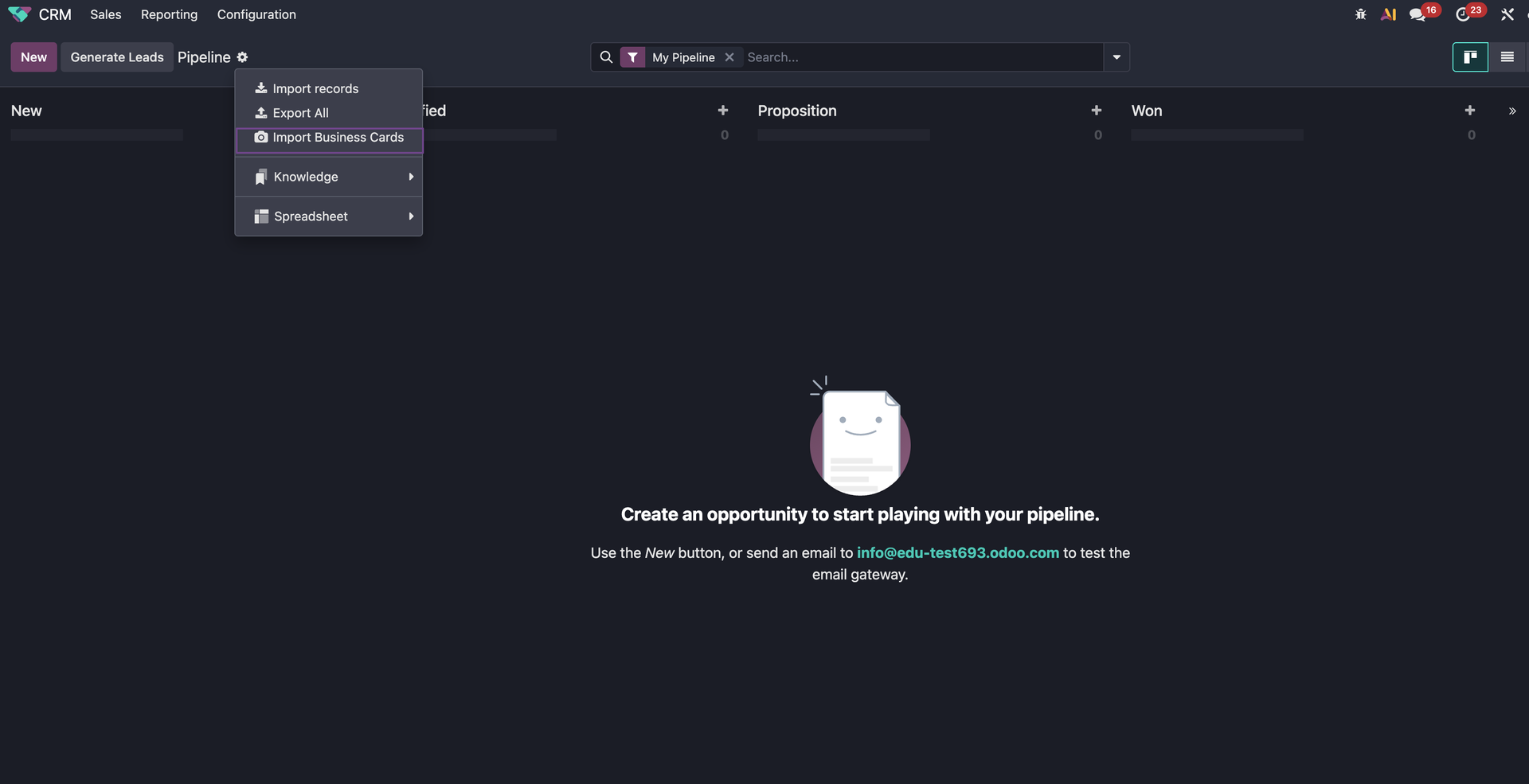
1 . Open the CRM
In the top-left corner of your CRM dashboard, click the Gear icon and select the Import Business Card option.
2 . Upload Your Cards
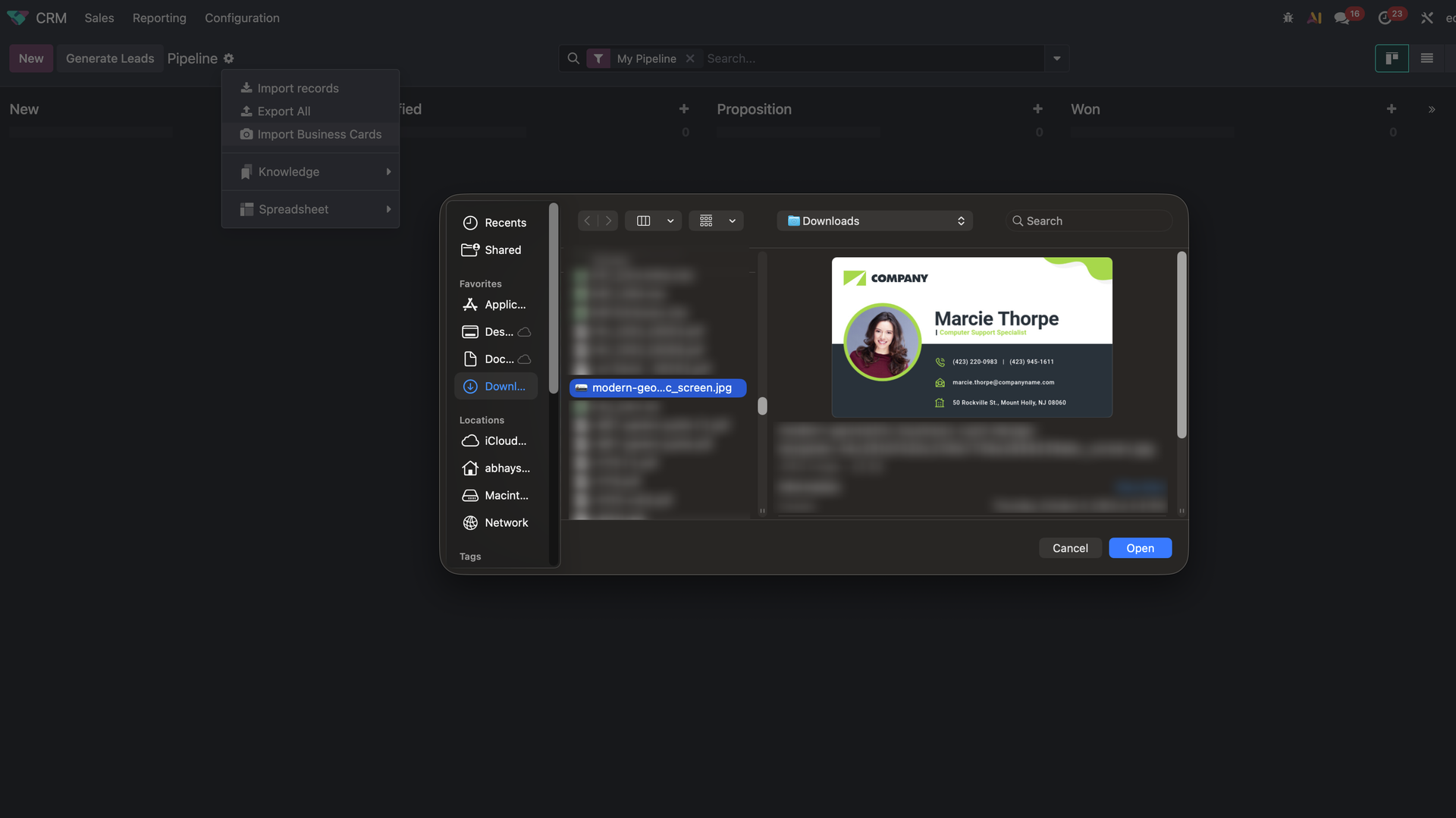
Your local storage will open. You can select a single card or select multiple cards at once to be imported in a batch.
3 . Automatic Lead Creation
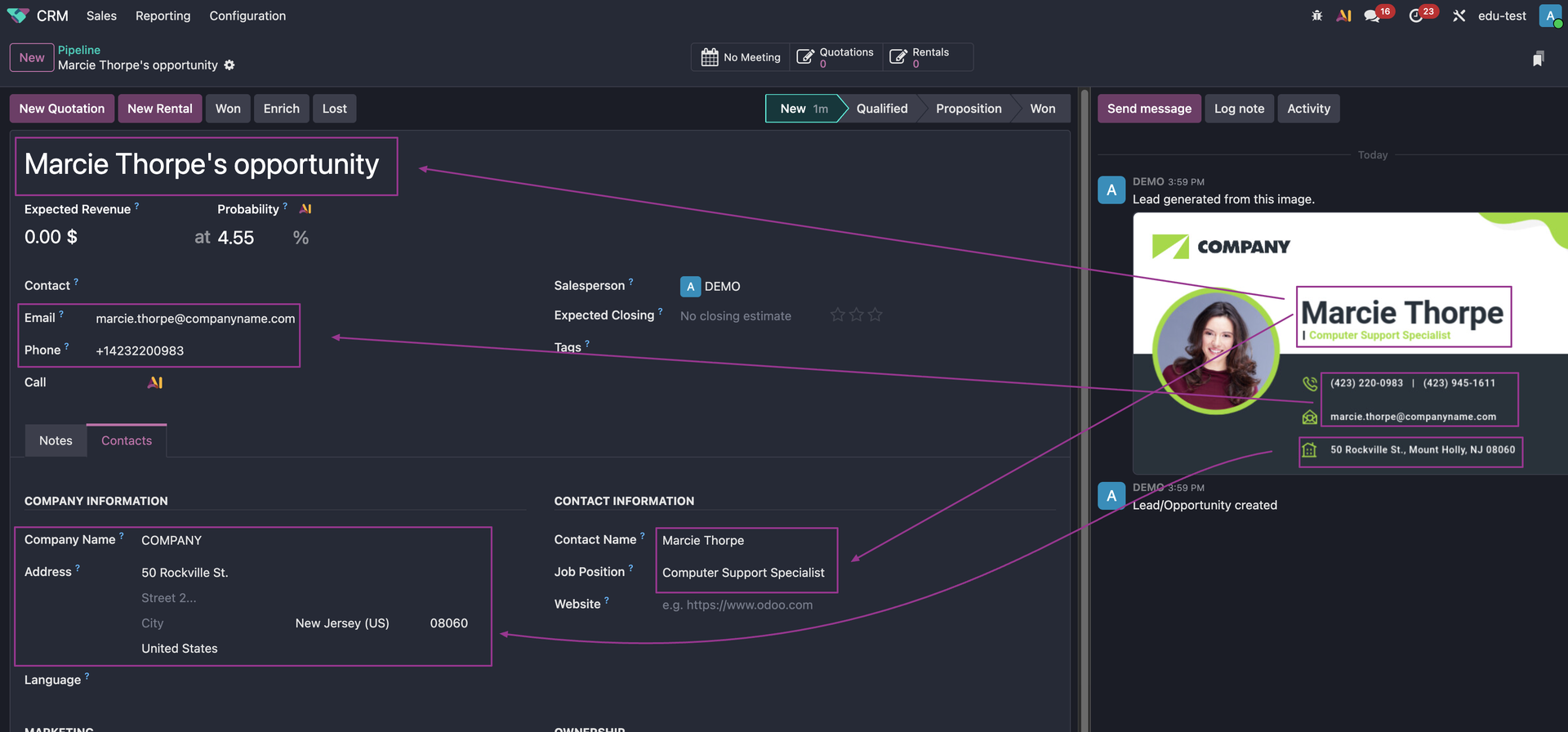
Watch as Odoo's AI goes to work. Within seconds, your opportunities are created with the following fields automatically populated:
- Opportunity Name
- Contact Name & Job Position
- Company Name & Address
- Email & Phone Number
No more typos, no more manual entry
— just a clean, populated pipeline in seconds.
Your now vs Your Future
Great stories are for everyone even when only written for just one person. If you try to write with a wide, general audience in mind, your story will sound fake and lack emotion. No one will be interested. Write for one person. If it’s genuine for the one, it’s genuine for the rest.

Before
You get home from a conference with 40 business cards. You sort them, type everything one by one, double-check spelling, fix whatever you mistyped, and then finally get a few leads into your CRM. By the time you finish, the excitement from the event is gone and you have no energy left to actually reach out.

After
You take a few quick photos of the cards. Odoo creates the leads for you. You are done in minutes and can send your follow-ups while the conversation is still fresh. It feels like night and day.
The Real-World Impact on Your Sales Team
What does this mean for your business?
Faster Follow-Up
Eliminate the delay between meeting a prospect and getting them into your sales pipeline. A lead captured instantly is a lead you can act on immediately, leading to higher conversion rates.
Cleaner Data
By automating the data entry process, you drastically reduce the chance of human error. No more misspelled names, incorrect emails, or missing phone numbers.
Maximize Event ROI
You attend events to make connections. Now, you can instantly turn every single card collected into a trackable, reportable lead. This ensures you get the maximum return on your event investment.
More Time to Actually Sell
Your sales team can spend more time talking to people instead of doing admin work. They can now focus on what they do best: communicating with prospects, building relationships, and closing deals.
It's time to stop letting a stack of paper slow down your sales process.
Odoo 19's Import Business Card feature is a clear example of how smart automation can simplify complex workflows and empower your team.
Ready to see how Odoo 19 transforms your CRM workflow?
Book a call with our team to explore this and other features in Odoo that are designed to make your life simpler and your business more efficient.
Ditch the Manual Data Entry: Odoo 19's New Business Card Import is a Sales Timesaver